Google Review Kiosk: Can Customers Review on Your Tablet?
Google once banned review kiosks by name. See what the policy says now, why reviews left on a shared in-store tablet go missing, and what to use instead.
ReplyOnTheFly Team
Content Team
On this page10 sections
- What Counts as a Google Review Kiosk
- What Google's Policy Said Then, and Says Now
- Why Reviews From a Shared Tablet Go Missing
- What Our Data Shows About Reviews That Arrive in Bursts
- The Problems a Kiosk Causes Even When Nothing Is Removed
- What to Use Instead of a Review Kiosk
- If You Already Run a Review Kiosk
- Where ReplyOnTheFly Fits
- Frequently Asked Questions
- Conclusion
A tablet on a stand by the register looks like the easiest review plan there is. The customer is happy, the screen is right there, and thirty seconds later you have a five-star review.
Then the reviews stop showing up, or a batch of them vanishes a week later.
Quick answer
A Google review kiosk is a shared tablet or computer in your business where customers sign in and write a review before they leave. Google's review policy named kiosks and told owners not to set them up from at least 2015 to 2017. That sentence is gone, but today's policy still says merchants should not "require or pressure users to leave ratings or write reviews while on the premises," and Google removes reviews that show "unusual volumes or patterns." In our data, reviews posted in a tight burst on one profile disappeared about twice as often as reviews that arrived alone. Send customers to the review page on their own phone instead.
Here's what this guide covers:
- What counts as a review kiosk, and what doesn't
- What Google's policy said in 2015 and what it says now
- Why reviews from a shared tablet go missing
- What our data shows about reviews that arrive in bursts
- The problems a kiosk causes even when nothing is removed
- What to use instead, and what to do if you already have one
What Counts as a Google Review Kiosk
A review kiosk, or review station, is a device the business owns that customers use to post a public review on the spot. Usually it's a tablet on a counter stand, opened to the business's Google review page.
The name gets used for two very different things, so it's worth separating them.
| Setup | Whose device writes the review? | Is it a kiosk? |
|---|---|---|
| Tablet or laptop at the counter, customers sign in and type | Yours | Yes |
| Staff member hands over their own phone or a shop phone | Yours | Yes |
| NFC "tap to review" stand or card | The customer's phone | No |
| Printed QR code on a sign, receipt or table tent | The customer's phone | No |
| Tablet that collects private feedback for the owner | Yours, but nothing is posted to Google | No |
If you searched for a review kiosk and found tap stands and QR signs for sale, those are a different product. They only open the review page on the customer's own phone. Our guide to Google review signs covers what to print, how NFC and QR compare, and what they cost.
This post is about the first two rows: reviews written on a device that belongs to the business.
What Google's Policy Said Then, and Says Now
Google used to ban kiosks by name. An archived copy of its "Review and photo policies" page from September 2015 says:
"If you're a business owner, don't set up review stations or kiosks at your place of business just to ask for reviews written at your place of business."
The same sentence is in archived copies of that page through June 2017. It is not in the policy pages Google publishes today, which is why you'll find people online saying kiosks are now fine. Read the current wording before you believe that.
Google's current Maps policy on fake and misleading content has three lines that a counter tablet runs into.
The premises rule. "When soliciting reviews, merchants should not require or pressure users to leave ratings or write reviews while on the premises, nor should they request that specific content be included."
The pattern rule. Under Rating Manipulation, Google lists "Content exhibiting unusual volumes or patterns of review contributions that are indicative of efforts to manipulate a place's rating."
The multiple accounts rule. Under Fake Engagement, Google lists "Content that has been posted from multiple accounts by or at the request of one person."
None of these says "kiosk." But a tablet that sits by the register exists so staff can steer customers to it before they walk out. That is asking for reviews on the premises, with someone watching. From the outside, it also produces a stream of reviews from many accounts on one device at one address, which is the kind of activity the second and third lines are written to catch.

Why Reviews From a Shared Tablet Go Missing
Google doesn't publish the signals it uses to catch fake reviews. You'll read confident claims that it's the IP address, the Wi-Fi network or the device ID. Google has never confirmed any of them, and we won't either.
Here is what Google has said. In a 2022 post on how reviews work on Google Maps, it explains that automated systems check each review and look at the content, the account that left it, and the place itself. For the place, the question Google says it asks is whether there has been "an abundance of reviews over a short period of time."
The checking continues after a review goes live. Google says its systems "continue to analyze the contributed content and watch for questionable patterns."
Now look at a kiosk from the outside. A small business that normally gets a few reviews a week suddenly gets six in one afternoon. They're all five stars, they were all written minutes apart, and they all came through the same device in the same building.
A paid review farm working one machine looks the same. Google's systems can't see the happy customers standing at your counter. They see the pattern.
That is also why this problem is hard to diagnose. Google's page on missing or delayed reviews says reviews are "checked to ensure they comply with our policies" and that "Reviews removed for policy violations won't be restored." You don't get a note explaining which review was filtered or why. Our guide to why Google reviews disappear covers the other common causes.
What Our Data Shows About Reviews That Arrive in Bursts
We can't see which device a review was written on. Nobody outside Google can. What we can see is timing, and timing is the one thing Google has said it watches.
We looked at 12,910 Google reviews posted between June 1 and September 30, 2026, on 689 Business Profiles connected to ReplyOnTheFly that average fewer than 30 reviews a month. For each review, we counted how many other reviews landed on the same profile within 30 minutes before or after it. Then, on November 20, we checked which reviews were no longer on Google.
| Other reviews on the same profile within 30 minutes | Reviews | No longer on Google | Share gone |
|---|---|---|---|
| None | 9,918 | 589 | 5.9% |
| 1 | 1,715 | 186 | 10.8% |
| 2 or 3 | 774 | 88 | 11.4% |
| 4 or more | 503 | 103 | 20.5% |
A review that arrived alone was gone 5.9% of the time. A review with at least one other review in that window was gone 12.6% of the time, about twice as often. In the tightest bursts, one review in five was gone.
Three cautions before you read too much into it.
- A burst is not a kiosk. A busy Saturday, a class that just finished, or a text sent to forty customers at once all produce bursts. So does a real fake-review campaign.
- Gone doesn't mean Google removed it. A review also disappears when its author deletes it or their account closes. We can't tell the two apart.
- The tightest bursts are few. The bottom row comes from 55 profiles, and 22 of them lost at least one review. It shows a direction, and we wouldn't lean on the exact figure.
What the table does show is that reviews bunched together in time are less likely to last. A kiosk bunches them by design.

The Problems a Kiosk Causes Even When Nothing Is Removed
Set the policy aside and a shared tablet is still a bad way to collect reviews.
Customers have to sign in on your device. Google's own tips page says "Customers must be signed into a Google Account to leave a review." On your tablet, that means typing their email and password into a device they don't own, often with a line forming behind them. Anyone with two-step verification turned on will need their phone anyway.
Someone will forget to sign out. Google's advice for signing in on a device that's not yours is to use a private browsing window, so that others can't "Use your Google Account." On a counter tablet in normal mode, the next customer in line may be looking at the last customer's Gmail. Their review may also post under the wrong person's name.
It puts people on the spot. Writing a public review while the person who served you stands a few feet away is not a free choice. Some customers will give five stars to be polite. Others will resent being asked and say so later, from home. Google's premises rule is about that kind of pressure.
The reviews read the same. Reviews typed quickly at a counter tend to be one line long. A customer writing that evening on their own phone mentions what they bought and who helped them, which is the detail future customers look for.
Handing over your own phone is still a kiosk
A staff member who opens the review page on a work phone and passes it across the counter has built a kiosk without the stand. It's the same shared device, and the same person is watching the customer type. If the review can't be written on the customer's own phone, don't ask for it in that moment.
What to Use Instead of a Review Kiosk
The fix is to move the review to the customer's own phone and account, at a time the customer picks. Google's instructions for the review link and QR code list four places to put them:
- "Include it on your receipts"
- "Include it in thank you emails"
- "Add it at the end of a chat interaction"
- "Print and display the QR code in your store"
So asking inside the store is fine. Google suggests it. What matters is whose device the review is written on, and whether the customer felt free to skip it.
| Shared tablet at the counter | QR code or link on the customer's phone | |
|---|---|---|
| Whose Google Account | Signed in on your device | Already signed in on theirs |
| Who is watching | Staff, and the queue | Nobody |
| When it's written | Before they can leave | Now, tonight or tomorrow |
| What Google sees | Many reviews from one device at your address | Reviews from different phones at different times |
| Risk of a signed-in account left behind | Yes | No |
Here's what to do in practice.
- Print a QR code for the counter. A counter card or table tent does the job of the tablet without the sign-in. You can print a QR code for the counter free, and our guide to where to put a review QR code lists the spots that get scanned.
- Send the link after the visit. A text or email the next day reaches the customer when they have a minute. Grab your direct Google review link and paste it into the message.
- Ask out loud, then step away. A single sentence from the person who helped them works better than any stand. Our guide to training staff to ask for reviews has the wording.
- Ask everyone. The same Google policy forbids merchants to "selectively solicit positive reviews from customers." A card on the counter that every customer can see keeps you on the right side of it.
Swap the tablet for a QR code
ReplyOnTheFly gives you a review link and a printable QR code free, and counts link opens and QR scans separately so you can see which one customers use.
Start Free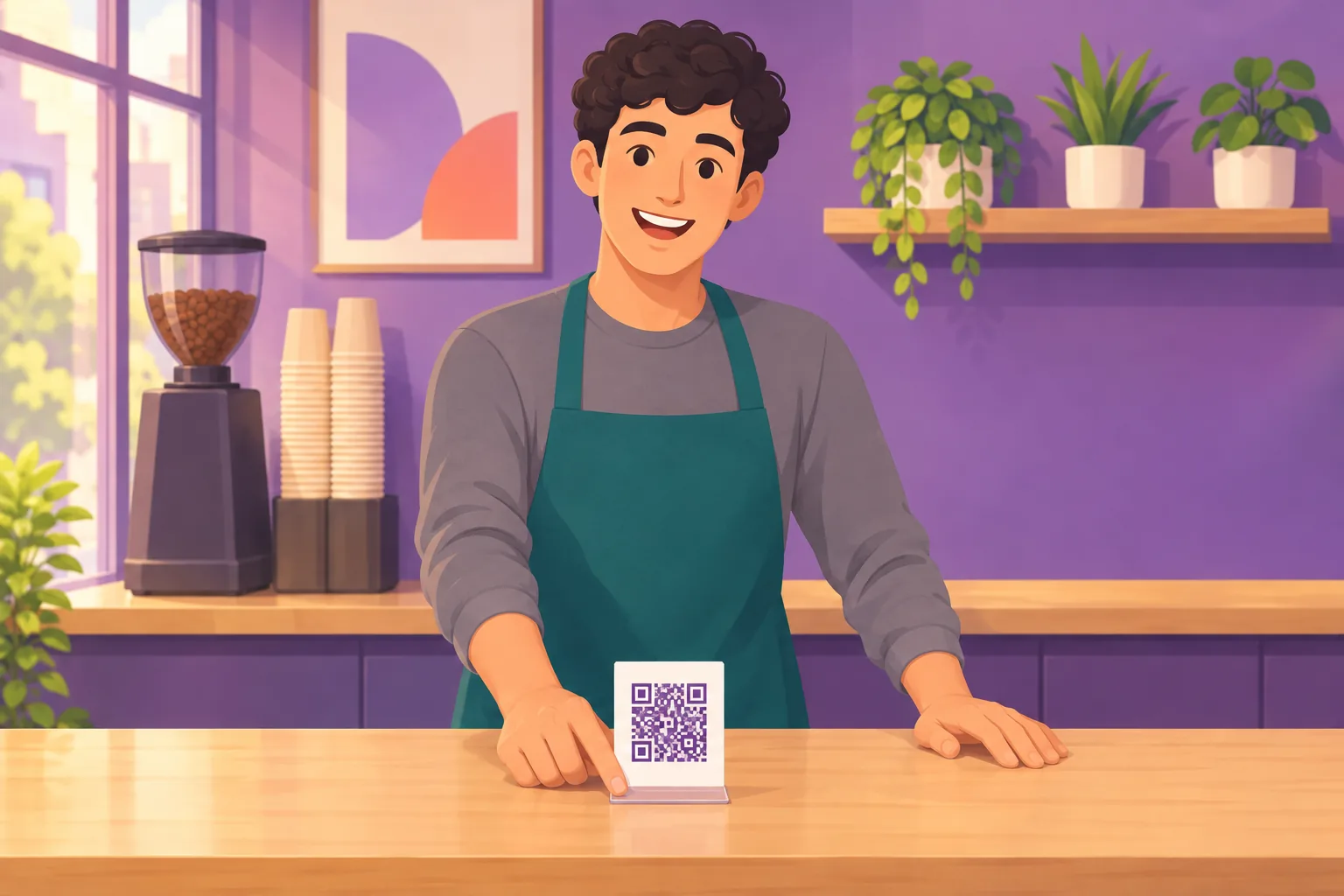
If You Already Run a Review Kiosk
Many owners set one up because a marketing vendor or a forum post said it was a good idea. If that's you, here's how to wind it down.
Take it off the counter today. Each new burst of same-device reviews adds to the pattern. Stopping is the only part you control.
Sign every account out and clear the browser. Customers may still be signed in. Google's page linked above explains how to clear cookies and history on a shared device.
Don't chase the customers whose reviews vanished. Google says removed reviews won't be restored, and asking someone to write it all again puts them in an awkward spot.
Watch your inbox. Google's page on Business Profile restrictions says a profile that breaks the fake engagement policy can be stopped from receiving new reviews, have existing reviews unpublished for a period, or carry a public warning. It also says, "We will notify business owners via email if we plan to apply a restriction to their profile," and that businesses can appeal.
Keep a record of what disappears. Google doesn't tell you when a review is removed. A tool that can alert you when a review is removed shows you whether the losses stop once the kiosk is gone.
Keep the tablet for private feedback if you like. A short "how did we do?" form that goes only to you doesn't touch Google at all. Just don't use it to send the happy customers on to Google and keep the unhappy ones private. That is review gating, and Google's policy names it.
Then be patient. Reviews that come in one at a time, from customers on their own phones, are the ones that stay. The full plan is in our guide to getting more Google reviews.

Where ReplyOnTheFly Fits
ReplyOnTheFly's free review link and QR code do the job people buy a kiosk for. Customers scan the code or tap the link and write the review on their own phone, signed into their own account.
Review requests can go out by email after the visit, one polite ask and one reminder, to five customers a month on the free plan. When a new review arrives, you get an email with a reply already drafted, ready to approve with one tap.
Frequently Asked Questions
Are Google review kiosks allowed?
Google's current policy doesn't use the word kiosk. From at least 2015 to 2017 its review policy said: If you're a business owner, don't set up review stations or kiosks at your place of business just to ask for reviews written at your place of business. Today's policy says merchants should not require or pressure users to leave ratings or write reviews while on the premises, and it removes content exhibiting unusual volumes or patterns of review contributions. A shared tablet at the counter runs into both.
Can customers leave a Google review on my tablet or iPad?
They can, but it is a poor idea. Each customer has to sign into their own Google Account on your device, the reviews arrive one after another from one device at your address, and anyone who forgets to sign out leaves their account open for the next person. Send customers to the review page on their own phone with a QR code or a link instead.
Does Google remove reviews that come from the same IP address or device?
Google has not published which signals it uses, so nobody outside Google can tell you an IP address or a device is the trigger. What Google has said is that its systems look for patterns, including an abundance of reviews over a short period of time, and that its policy covers unusual volumes or patterns of review contributions. A shared tablet produces exactly that kind of pattern.
Is it OK for customers to leave a review while they are still in my store?
Yes, as long as nobody is required or pressured to. Google's own instructions suggest printing and displaying the review QR code in your store and including it on receipts. The rule is about pressure, so a card on the counter is fine and a staff member standing over a customer until the review is posted is not.
Will Google restore reviews that were removed because of a kiosk?
Don't count on it. Google's help page on missing reviews says reviews removed for policy violations won't be restored. Take the kiosk away, switch to asking customers on their own phones, and let new reviews build at their natural pace.
Can I keep a tablet in the store for private feedback?
Yes. A tablet that collects private feedback for you doesn't post anything to Google, so the review policy doesn't apply to it. The line is crossed when the tablet sends only the happy customers on to Google, which Google's policy calls selectively soliciting positive reviews.
Conclusion
A Google review kiosk solves the wrong problem. It makes the review happen before the customer leaves, when the reviews that last are written on the customer's own phone, at a time they chose.
Google named kiosks in its policy until at least mid-2017, and today's rules on premises pressure and unusual patterns still cover them. In our data, reviews that landed in a burst were gone about twice as often as reviews that arrived alone. Put a QR code on the counter, send the link after the visit, and take the tablet off the stand.
Collect reviews the way Google suggests
ReplyOnTheFly gives you a free review link and printable QR code, asks recent customers by email at the right moment, and drafts a reply to every new review for one-tap approval from your inbox. Free to start.
Start Free - No Credit Card Required- Unlimited AI drafts
- 5 free one-click posts/month
- Works from your email inbox
Written by ReplyOnTheFly Team
Content Team
Free toolNo signup
Print a review QR code
Counter cards, table tents, and stickers that open your review page. 300 DPI, ready to print.
Make my QR codeOr create a free account to automate replies
Related Articles

How to Get More Google Reviews: 15 Proven Strategies (2026)
Learn 15 actionable strategies to get more Google reviews for your business. From QR codes to email campaigns, discover what really works in 2026.
Google Review Signs: What to Print, Which Format, and What They Cost
What to print on a Google review sign, which format fits your counter, NFC tap versus QR, what signs cost, and the one Google rule a sign can break.

Review Gating: What Google Actually Prohibits, and What It Allows
Review gating sends happy customers to Google and unhappy ones to a private form. Google's exact rule, the FTC's example, and a feedback flow that complies.