Google Posts vs Social Media: Where a Local Business Should Post First
Google posts reach people already deciding whether to visit. Social reaches followers. Which to post first, what Google pulls from social, and what to cross-post.
ReplyOnTheFly Team
Content Team

You have one photo of this week's special, twenty minutes, and two places it could go: your Google Business Profile or your Instagram and Facebook. Most owners pick social, because that's where the likes are. Most of the time that's the wrong order.
The two platforms don't compete for the same people. One reaches customers who are deciding whether to visit you in the next hour. The other reaches people who chose to follow you and may not need you for months. Here's how to tell which post belongs where, what Google now pulls from your social accounts onto your profile, and what survives a cross-post.
Quick answer
If you can only post in one place this week, post to Google first. Google's help page says that when customers find your latest business updates on your Business Profile, it helps them decide to visit your business. Everyone who sees a Google post is already looking at your business, usually after searching for what you sell nearby. Social media reaches people who haven't searched yet, so it comes second, with the same photo and a rewritten caption. Food and drink businesses in five countries should also know that Google can now show their Facebook and Instagram posts on the profile itself, in place of reviews.
Who Actually Sees a Google Post vs a Social Post
Start with the audience, because everything else follows from it.
A Google post is visible only to someone who opens your Business Profile. Google's help page lists where: "the 'Updates' or 'Overview' tabs of the Business Profile on mobile on Search and Maps" and "the 'From the owner' section of the Business Profile on your computer." Nobody scrolls past a Google post by accident. They searched for your name, or for a plumber, a dentist or a taco place near them, and opened your listing.
That audience is smaller than a social following, and it's worth more per person. In September 2026 we looked at 1,722 businesses connected to ReplyOnTheFly with at least 25 days of Google performance data for the month.
| Profile views in September 2026 | Per business |
|---|---|
| Lower quarter | 119 |
| Median | 657 |
| Upper quarter | 2,959 |
The median business had 657 people look at its profile that month, and 82 of them clicked through to the website, tapped to call, or asked for directions. Those are the people a Google post reaches: a few hundred a month, every one of them mid-decision.
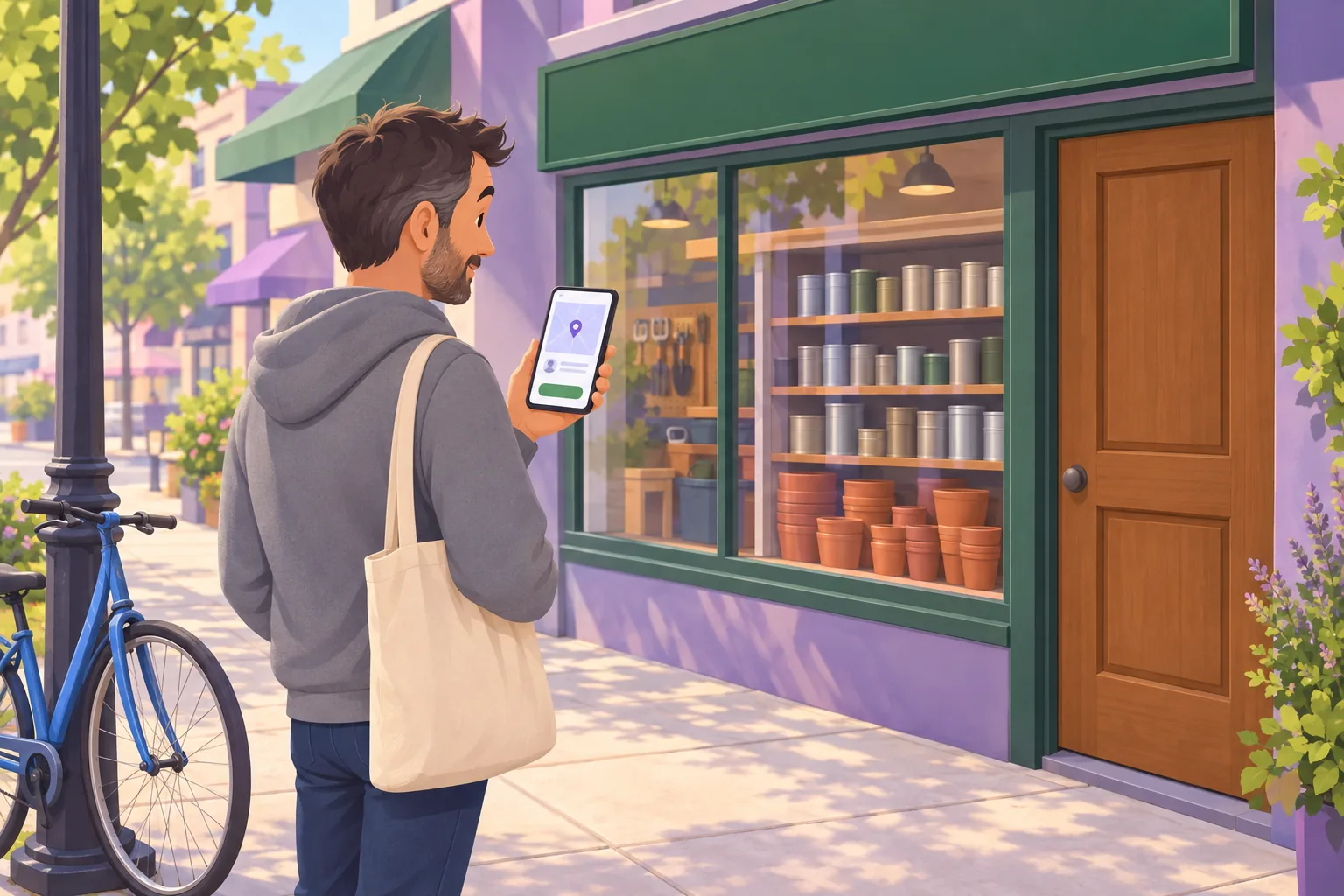
A social post goes to your followers, filtered by the platform's feed. Followers chose you, which is a real asset, but most of them aren't in the market today. A gym's Instagram follower might be a member who joined in January, a friend of the owner, or someone in another city who liked a reel. A gym's Google profile visitor is someone who just searched "gym near me."
That's the whole difference in one line. Google posts convert people who are already deciding. Social posts remind people who aren't deciding yet. Our guide to what Google posts actually do covers why that conversion role is the honest case for posting at all.
What Each Platform Is Built For
The audiences differ, and so do the tools. Here's what you get on each side.
| Google Business Profile posts | Facebook and Instagram posts | |
|---|---|---|
| Who sees it | People viewing your profile after a search | Your followers, as the feed allows |
| Post types | Update, Offer, Event, each with an optional button | Photos, carousels, reels, stories, text |
| Lifespan | Prominent for about a week, archived at six months | Fades from the feed quickly, stays on your grid |
| Followers | None | Yes |
| Comments and shares | No comments; a share button only | Both |
| Hashtags | No hashtag search | Core discovery feature |
| Measurement | A view count per post since September 2026; an Offers metric for offers | Full analytics on reach, saves and clicks |
| Scheduling | Built in: a date and time, or a Repeats option for weekly, monthly or custom | Built in or via third-party tools |
| Cost | Free | Free, with paid boosts |
Two of those rows change what you should post.
Lifespan. Google's help page says posts older than six months are archived unless a date range is set, and in practice a standard update rotates out of the prominent spot on your profile after about a week. Social posts fade faster in the feed but live on your grid indefinitely. So a Google post should be about now: this week's offer, this month's event, the service you just added.
Hashtags and followers. A Google post has neither. Nobody discovers a Business Profile through a hashtag, and nobody follows one. The post's only job is to move someone who is already looking at you. That's why a Google post wants a button and a social post wants a conversation.

Where to Post First: A Three-Question Rule
When a photo and twenty minutes are all you have, run it through these three questions.
1. Would someone deciding right now need to know this? A price, a new service, a holiday closure, an offer with a date, an event this month. If yes, it goes on Google first, as an Update, Offer or Event with a button. These are the posts that get redeemed, because the reader is one tap from acting.
2. Is it personality, story or behind the scenes? A team birthday, a before-and-after, a day in the van. That's social first, where people have time and want to know you. If it includes a good photo of your actual work or your actual space, add the photo to your Google profile's Photos tab too, where it's permanent, rather than as a post that expires in a week.
3. Could it be the same post with a different caption? Most weeks, yes. The photo of the finished kitchen is the Google post ("Kitchen remodels, booking November, tap to get a quote") and the Instagram post ("Three weeks, one very patient family, and a lot of grout"). Same image, two jobs.
If you truly only have one post a week
Make it the Google one, and set it up once. The post editor's Repeats dropdown lets you choose how often a post shows up, such as weekly, monthly, or a custom schedule, so a standing offer or a weekly class can republish itself. Then share the same photo to social when you have a spare minute, not as a separate chore.
What Google Now Pulls From Your Social Accounts
This is the part that changed the question. Google no longer treats social media as something that happens somewhere else.
Social links on your profile. You can add one link per platform from Facebook, Instagram, LinkedIn, Pinterest, TikTok, X and YouTube. Google's social links help page adds two notes worth reading twice: "Some Business Profiles may show social media links automatically if they meet certain requirements," and "Google does not currently provide performance metrics or click tracking for social media links." If Google adds a link you don't want, you can replace it, but Google says removing it means contacting support.
Social posts on your profile. Google's posts help page says: "Posts about events, deals, or specials may automatically show on your Business Profile on mobile. These featured posts are from your social media channels, like Facebook and Instagram, or from posts you've created on your Business Profile."
The scope is narrow, and Google states it exactly: "This feature is currently available in English for single-location food and drink businesses in the US, UK, Canada, Australia, and New Zealand." Google also says where these posts land: "When featured posts are available, customers find them in place of reviews on your Business Profile on mobile. They can still access reviews when they tap your business's star rating or check the 'Reviews' tab."
Read that as a cafe or restaurant owner and it changes the rules for social. A deal you post on Instagram for your followers may show up on your Google profile, on mobile, where your reviews used to be, to a stranger deciding where to eat. That's a good reason to keep every social post about a deal or event something you'd be happy to have in your shop window.
If you're outside that scope, nothing you post on social reaches your profile unless you post it there yourself. That's most businesses, and it's why the question "where should I post first" still has an answer.
What Survives a Cross-Post, and What Doesn't
Cross-posting is the practical answer for most owners, so we looked at what actually transfers.
ReplyOnTheFly's Instagram Sync copies a business's Instagram photos and videos into its Google Business Profile photo gallery, with an AI filter deciding whether each one belongs on Google. That filter has judged 4,138 Instagram posts from 14 businesses outside our own accounts, which is a small sample, but it's the only measurement of its kind we have.
| Instagram posts judged (14 businesses) | Count | Share |
|---|---|---|
| Fit for a Google photo gallery | 3,713 | 90% |
| Held back as a promotional graphic | 313 | 8% |
| Held back as unrelated to the business | 77 | 2% |
| Held back as low quality, personal, text-only or a meme | 35 | 1% |
Separately, 180 videos were skipped for running longer than the 30 seconds Google allows, per its photo and video guidelines.

So the photos mostly travel. Nine in ten Instagram images are the kind of thing a Google visitor wants to see: the food, the work, the room. The one in ten that doesn't is almost always a promotional graphic, a design with text baked into the image. Those get likes on Instagram and look like an ad on a profile. If you're unsure about a specific image, the free Google Business photo checker runs the same filter on any photo you upload.
The captions don't travel at all. Of the Instagram captions in that set, 77% contained hashtags, with a median of nine per post, and the median caption ran 285 characters. The 5,018 Google posts published through our scheduler for outside businesses have a median length of 246 characters and no hashtags. A Business Profile has no hashtag search, so nine hashtags on a Google post are nine pieces of "text that adds no value," which is the phrase in Google's own tips for posts.
Three rules cover the rewrite:
- Cut every hashtag and handle. Google's help page warns that a phone number in the post might get rejected if it can't be verified as the business's, and our post rejection guide covers the rest of the rules. Handles and hashtags aren't banned, they're just dead text.
- Lead with the thing. The offer, the date, the service, in the first line. The story goes to social.
- Add a button. Book, Order, Learn more or Call. It's the one feature social posts can't match, and it's how you measure whether the post worked.
A Weekly Routine That Covers Both
Here's the version that fits in twenty minutes and doesn't depend on remembering.
Take one real photo. The finished job, the dish, the chair, the team. Not a graphic. Taking it on the same day each week makes it a habit, and our guide to which post photos get clicked explains why the photo does most of the work.
Post it to Google with a button. One or two sentences about what's true this week. If it's an offer, write it as an Offer post with a code so you can count redemptions. If it recurs, set it to repeat.
Share the same photo to social with the story. The caption can be longer, warmer and tagged. If you're a food or drink business in one of the five countries Google names, remember that a deal or event post here may surface on your profile too.
Put the photo in your Google gallery. Posts expire. The Photos tab doesn't. If you already post to Instagram, Instagram Sync does this step for you, with the filter above keeping promo graphics off Google.
Google first, without the Sunday night
The SEO Post Scheduler writes and publishes posts to your Google Business Profile on a schedule, with your own photos and a button on every post. One post a month is free, forever.
Start posting freeIf the Google half keeps slipping, that's the half worth automating, because it's the one with a customer on the other end. The SEO Post Scheduler writes keyword-rich posts from your business type and city, attaches photos from your own profile, and publishes weekly, three times a week or daily, so the profile stays current while your social stays yours.
The Takeaway
Google posts vs social media isn't a contest, because the two reach different people at different moments. A Google post reaches a few hundred people a month who searched for what you sell and are deciding now. A social post reaches people who like you and might need you later.
Post to Google first when the news would matter to someone deciding today. Post to social first when the point is personality. Cross-post the photo, rewrite the caption, and keep the hashtags on the platform that can read them.
For the full picture of what posts can and can't do on your profile, start with our guide to Google Business Profile posts.
Frequently Asked Questions
Is Google Business Profile a social media platform?
No. A Business Profile has no followers, no feed to scroll, no comments and no hashtag search. Posts on it are seen only by people who open your profile, which means they searched for your business or for what you sell nearby. Google describes posts as a way to share updates that help customers decide to visit your business. That makes it closer to a shop window than a social network: the audience is small, but it is standing outside your door.
How do I add social media links to my Google Business Profile?
Open your Business Profile, select Edit profile, then Contact, and select Edit next to Social profiles. Choose the platform from the dropdown, paste the link in the Web address field, and save. Google allows one link per platform from this list: Facebook, Instagram, LinkedIn, Pinterest, TikTok, X and YouTube. Google says the feature is available in select regions, that some profiles show social links automatically, and that it does not currently provide performance metrics or click tracking for social media links.
Do Facebook or Instagram posts show up on a Google Business Profile?
Sometimes, for some businesses. Google's help page says posts about events, deals, or specials may automatically show on your Business Profile on mobile, and that these featured posts are from your social media channels, like Facebook and Instagram, or from posts you've created on your Business Profile. Google says the feature is currently available in English for single-location food and drink businesses in the US, UK, Canada, Australia, and New Zealand, and that when featured posts appear, customers find them in place of reviews on mobile. Outside that scope, your social posts stay on social.
Should I post the same thing on Google and on social media?
Post the same photo, not the same caption. Across 14 businesses that connected Instagram to ReplyOnTheFly, 9 in 10 Instagram photos were fine for a Google photo gallery, and 77% of their captions carried hashtags, with a median of nine. A Business Profile has no hashtag search, so those hashtags become text that adds no value, which is the kind of thing Google's own posting tips ask you to avoid. Rewrite the caption for someone deciding right now: lead with the offer, the date or the service, and add a button.
Do Google posts or social media posts help local SEO more?
Neither one has been shown to move your Google Maps ranking. The one controlled test of Google posts found no ranking change after nine weeks of posting, and Google's ranking guidance names relevance, distance and prominence, not posting activity on any platform. Google posts help by converting people who are already on your profile. Social posts help by bringing new people to it. Treat both as conversion and awareness tools, not ranking levers.
Keep the Google half posted every week
ReplyOnTheFly writes and publishes posts to your Google Business Profile on your schedule, with your own photos and a button on every one, and can mirror your Instagram photos into your Google gallery. One post a month is free, forever.
Start Free - No Credit Card Required- Unlimited AI drafts
- 5 free one-click posts/month
- Works from your email inbox
Written by ReplyOnTheFly Team
Content Team
Free toolNo signup
Write this reply in seconds
Paste the review, pick your tone, get a reply that sounds like a person wrote it.
Write my replyOr create a free account to automate replies
Related Articles

Google Business Profile Posts: Complete Guide for Local SEO
Learn how to use Google Business Profile posts to boost local SEO. Covers post types, best practices, frequency, and how automation saves time.

Do Google Business Profile Posts Actually Do Anything?
Do Google Business Profile posts help SEO? A nine-week controlled test found no ranking boost. Here's what posts actually do and where your effort pays off.
Google Business Profile Post Views: How to Tell If Posts Are Working
Google now shows a view count on each Business Profile post. What it can and can't tell you, and what 82 businesses' clicks did after they started posting.